.png?fit=max&auto=format&n=Sqc1Ckut3htD7nx_&q=85&s=9882fa2c28bf3d66ffb036648004c021)

Access Profile List
Navigate to Invest Online > Profile List > Search Client in Active Profile > Click on Menu Button (Three Dot) > Create Mandate.
Select Bank
- Select bank (e.g., Bank of Baroda) from popup.
- Choose type:
- Physical Mandate: 21 working days (needs client signature).
- NACH: Activates in 3 working days.
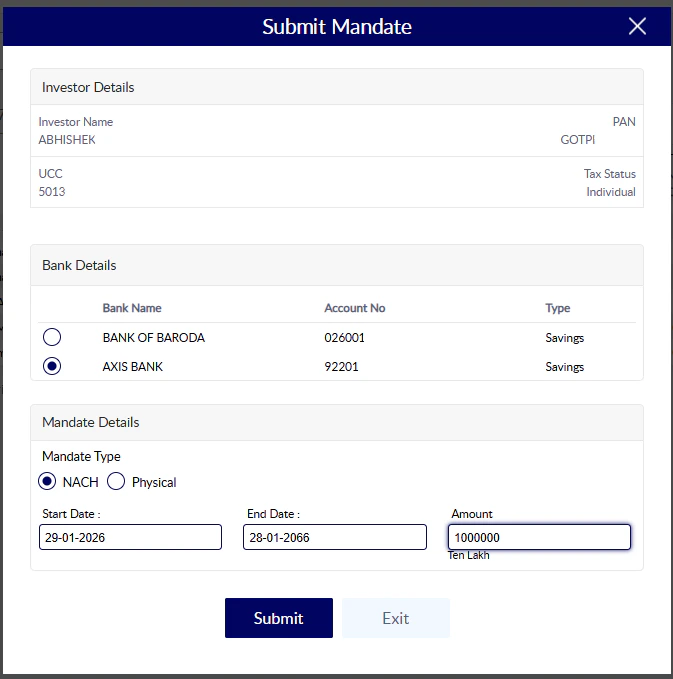
Final Step
After clicking on Submit button you can see this Screen where you can find two button Approve Now & Approve Later
After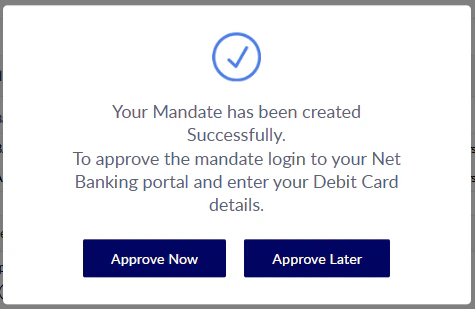
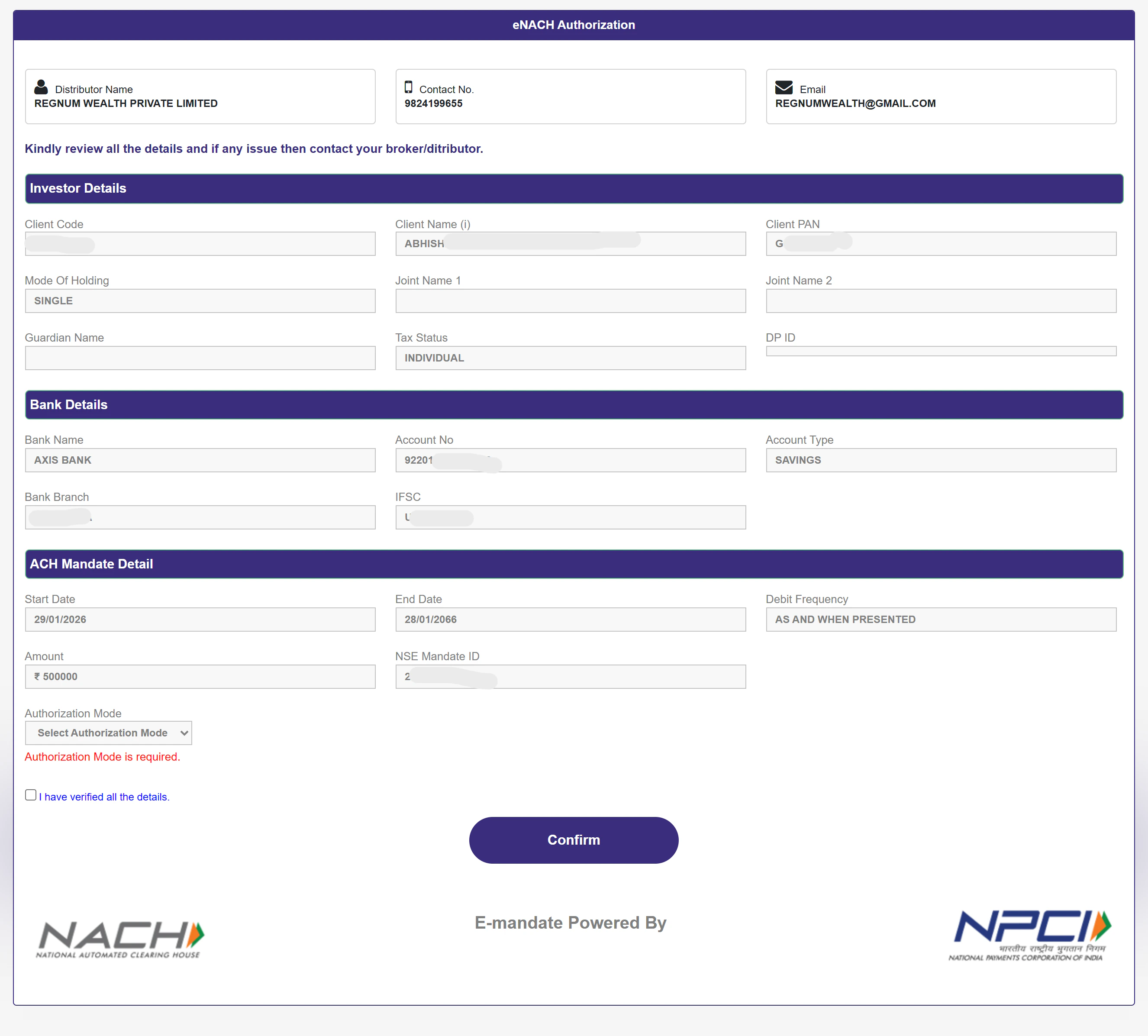
After
- Aadhar card
- Debit Card
- Net Banking